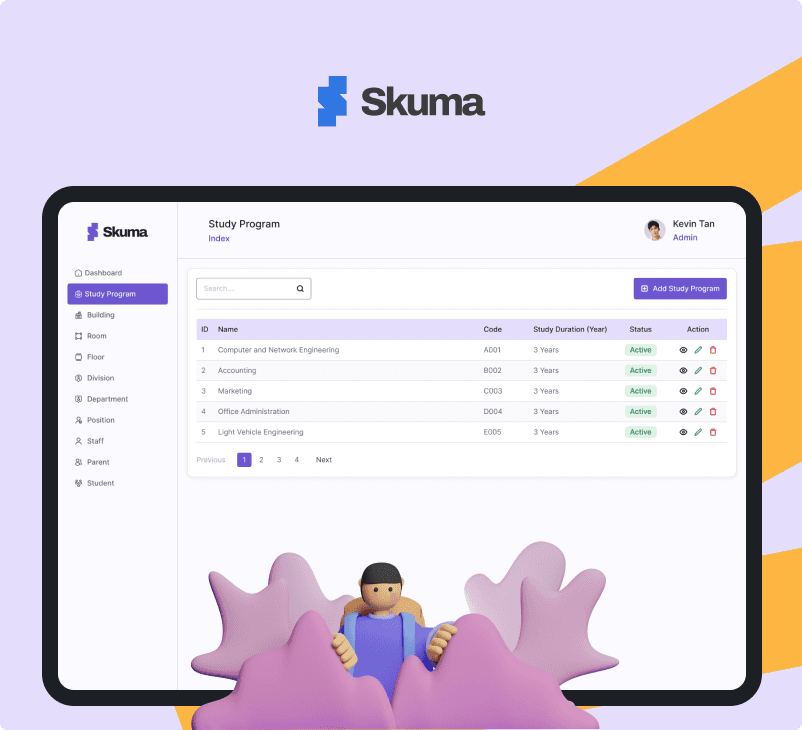
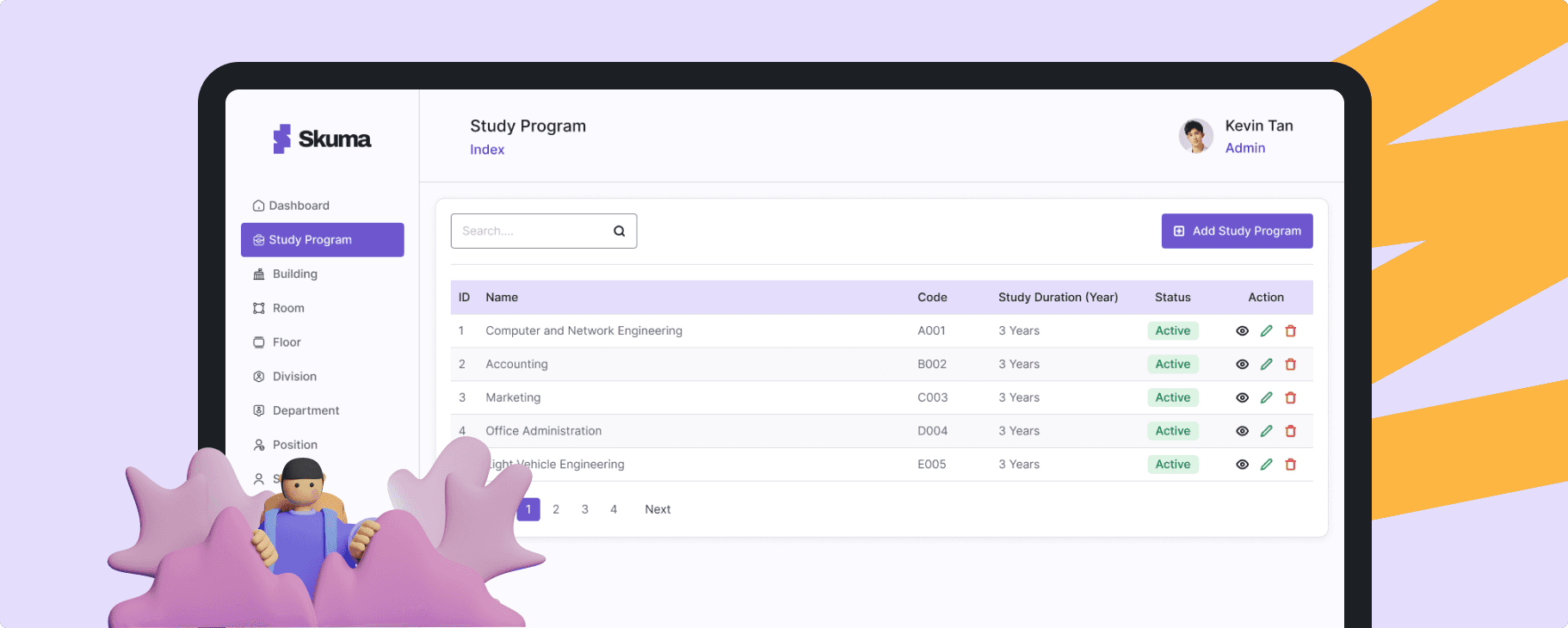
TL;DR (5-Second Read)
💡
Fast Overview
The dashboard helps school administrators manage departments, rooms, teachers, students, and parents — all in a simple and intuitive way.
It’s not just another dashboard — it’s a tool that helps schools breathe easier.
- Skuma
📌 Background Story
When I worked at Kotakodelabs as a UI/UX Designer, one of the projects I was involved in was a web application for an LMS (Learning Management System), which focused on integrating learning for Admins, Teachers, and Students.
During this opportunity, I attempted to create a dashboard design from the Admin’s perspective, focusing on school management — including Departments, Buildings, Divisions, and even Parents and Students.
For this project, I collaborated with my friend Nuril Ichsan, who served as a UX Writer.
I used Radix UI Components from the Figma Community as the Design System — just in case a developer wants to bring it to life later.
🎯 Overview
Skuma is a modern school management dashboard designed to help administrators manage daily operations — from departments, rooms, and staff to students and parents — all in one clean, intuitive interface.
Built with a focus on clarity, consistency, and efficiency, Skuma makes school management simple, visual, and effortless.
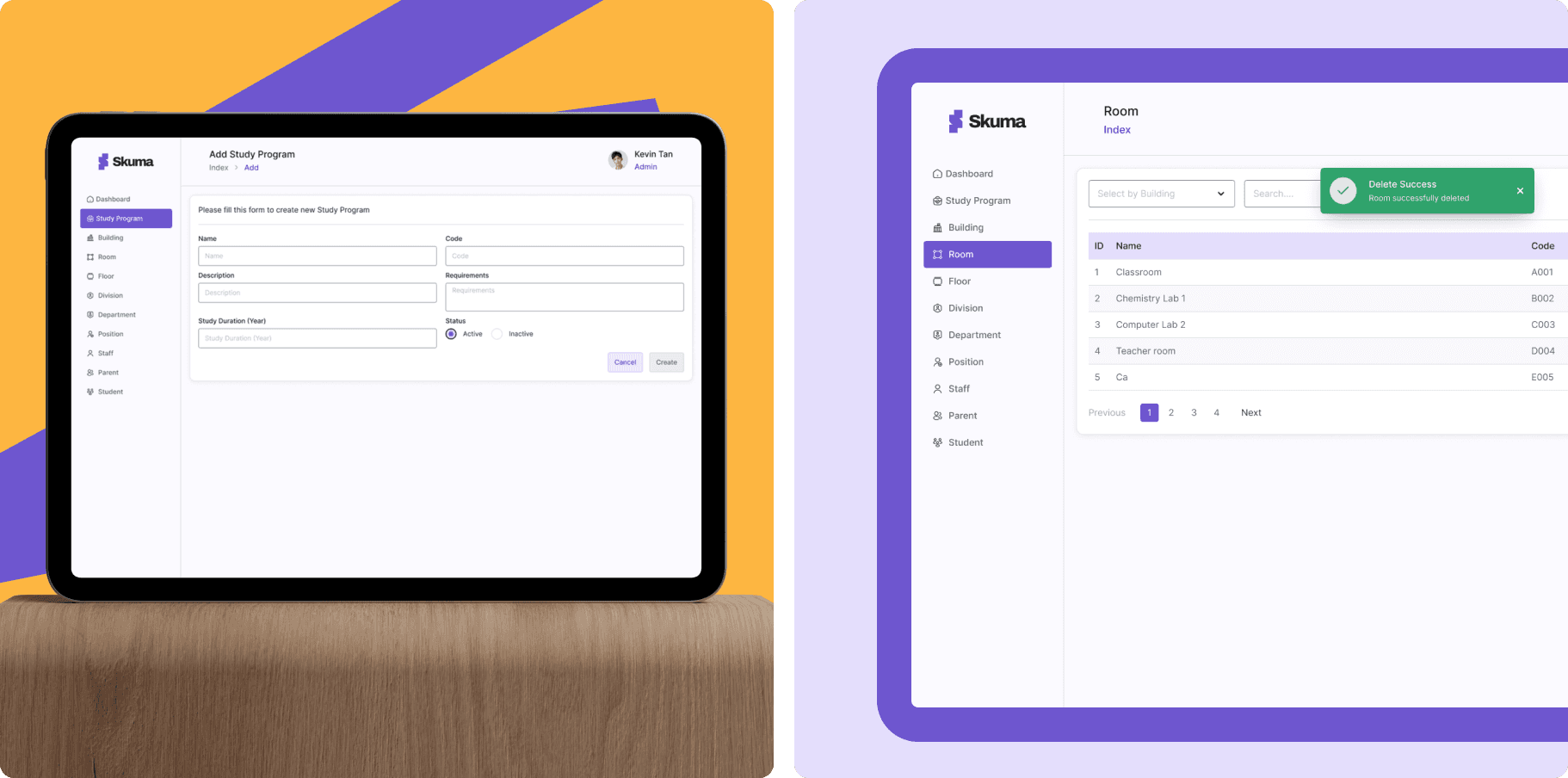
💡 What Makes Skuma Different?
Focuses on ease of use for non-tech-savvy school admins
Uses a modular dashboard system so every data section feels familiar and organized
Designed with Radix UI components, ensuring both aesthetic consistency and dev-ready usability
🧭 Design Philosophy
Data-heavy doesn’t have to mean confusing.
Skuma was designed to simplify complex data structures through visual hierarchy, clean layouts, and component-based systems — helping admins find what they need in seconds.
👥 Target Persona
🎓 School Administrators & Staff
👩🏫 Teachers and HR Teams managing academic data
🏫 Private & International Schools that require a scalable system
💻 Ages 25–45, comfortable with digital tools but prefer simple, intuitive dashboards
⚙️ Core Features
Dashboard Overview: Key metrics at a glance — total students, active staff, room usage, etc.
Department & Building Management: Create and organize departments, rooms, and floors easily.
People Module: Manage students, parents, and staff in one place.
User Roles & Permissions: Keep data secure with layered access control.
Reusable UI Components: Built with Radix UI for consistency across screens.
🎨 Visual Direction
Skuma adopts a clean, calm, and modern aesthetic — using soft color palettes, clear typography, and intuitive spacing.
The goal: make the experience feel professional yet friendly, removing unnecessary visual noise that distracts from the data.
🌟 Benefits
Simplifies Management — Everything from departments to rooms in one dashboard.
Speeds Up Admin Workflows — Clean structure reduces time spent on repetitive tasks.
Reusable Components — Easier handoff and scalability for developers.
Improved Navigation — Logical flow ensures users never get lost.
Consistent UI System — Every page feels familiar, reducing cognitive load.
🚀 Why Skuma Matters
Skuma changes that by offering a unified, intuitive space — making admin tasks smoother, faster, and more visual.
It’s not just another dashboard — it’s a tool that helps schools breathe easier.
Now the Process, From Sketch to Launch 🚀
1. Discovery & Definition
First, I defined the project’s purpose: to simplify how school admins handle data—departments, buildings, rooms, staff, students, parents—so everything is manageable in one place.
I set key goals: create a clean interface, build a reusable component system, and make it dev-friendly.
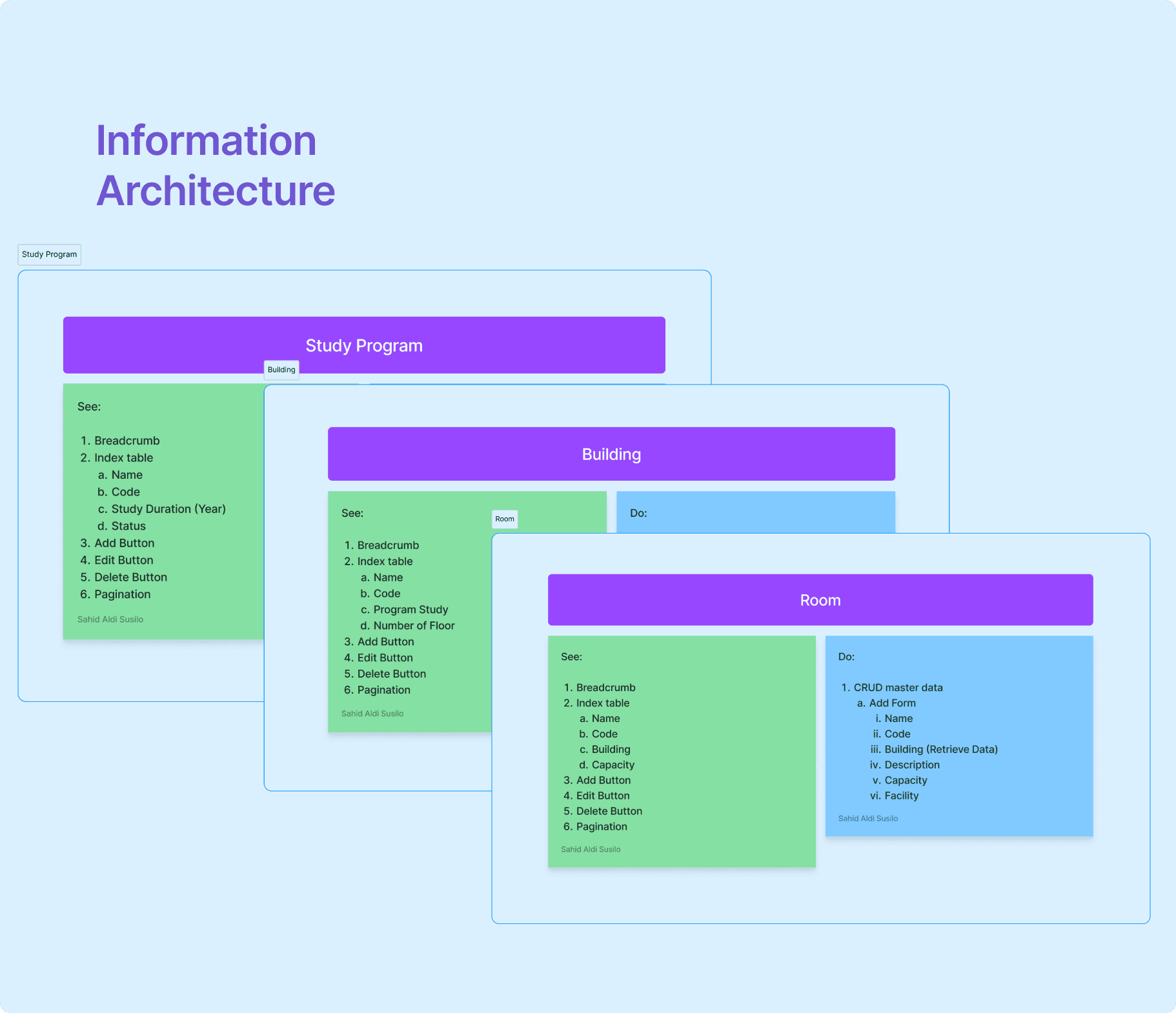
2. Information Architecture & Flows
I mapped out all the data entities (study program, building, floor, room, division, department, position, staff, parent, student).
Then I laid out logical flows: adding new rooms, managing staff, linking students and parents. This helped me ensure the dashboard structure felt intuitive.
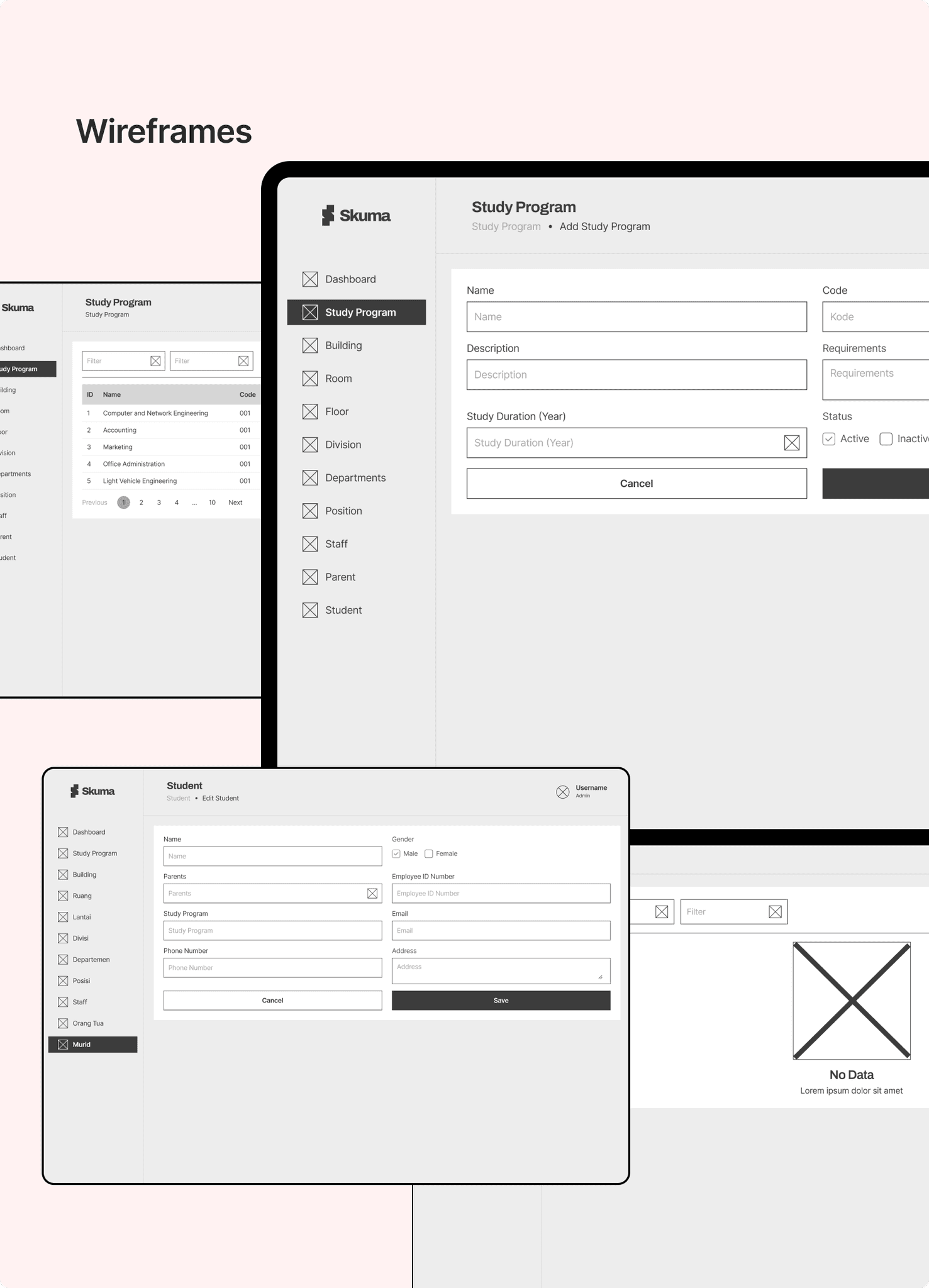
3. Wireframes
Next, I moved to wireframes: quick sketches to lock down layouts and user flows.
I focused on readability & clarity—tables with clear headers, forms that don’t overwhelm, action buttons that stand out.
4. Design System + Radix UI Components
To keep design consistent and implementation smooth, I built a design system based on Radix UI (Figma Community).
Defined tokens: colors, typography, spacing.
Created components: buttons, inputs, dropdowns, modals, tables.
Ensured accessibility and reusability for developers.
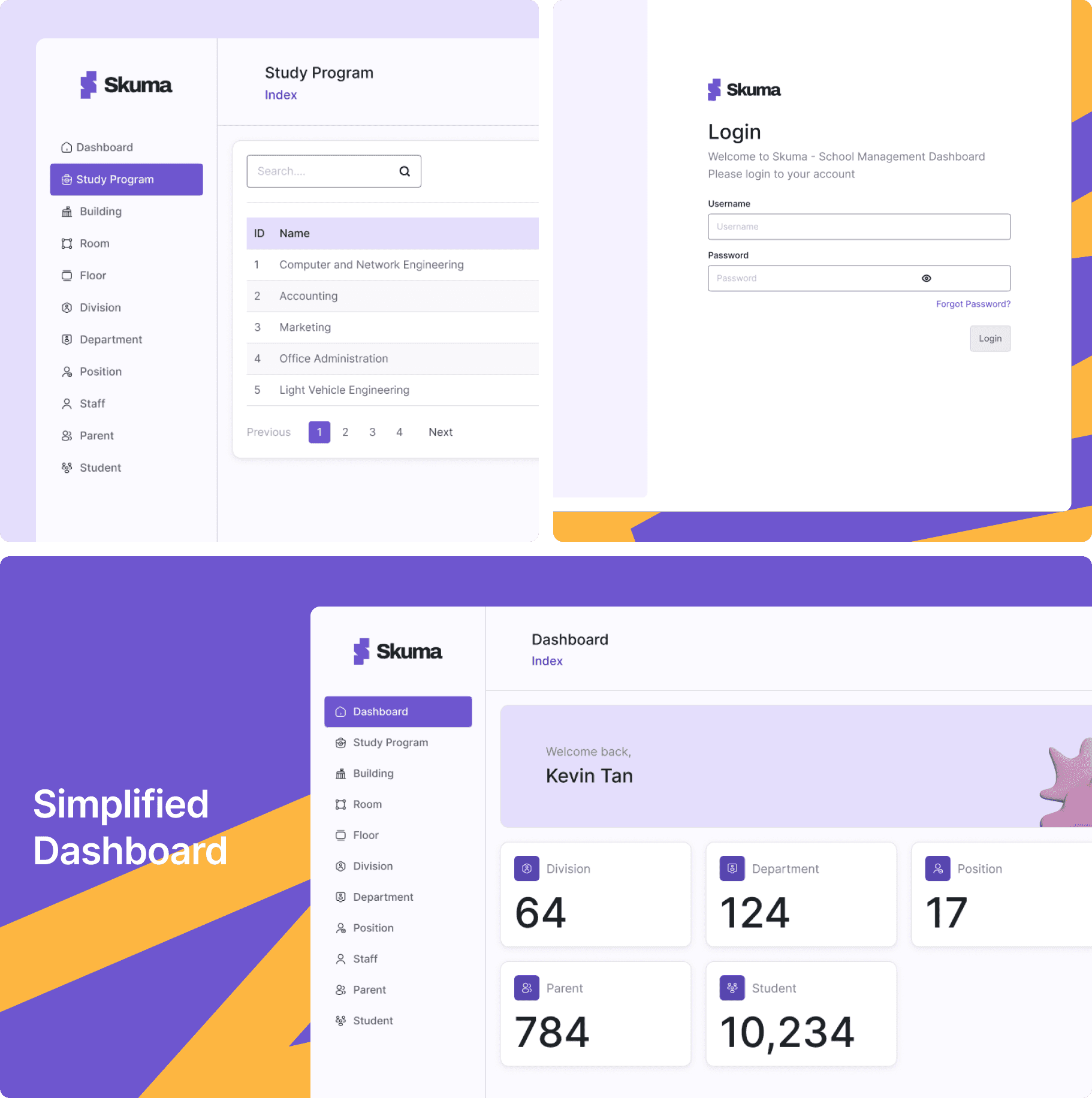
5. High-Fidelity Mockups & Visual Polish
With the system ready, I designed high-fidelity screens: login, dashboard overview, study program module, building module, room page, etc.
I chose a soft but professional visual tone—spacious layouts, subtle colors, clear iconography—to make data work feel less heavy.
6. Prototype & Usability Check
I assembled a clickable prototype and ran a short usability check: testing core tasks like adding a student, assigning a room, editing staff details.
From feedback, I refined wording (“Save & close” instead of just “Submit”), added inline validations, and tweaked layout spacing for comfort.
✦ Conclusion
Skuma was designed with one clear mission — to simplify complex school management into a single, intuitive experience. By focusing on clarity, consistency, and usability, the platform empowers school administrators to manage data effortlessly without feeling overwhelmed.
Through a modular design system and well-structured information architecture, Skuma ensures scalability for future features while maintaining a seamless user experience.
This project reinforced my belief that great design isn’t about adding more, but about making what matters most—visible, clear, and easy to use.